
Edit Components
Update the details of an existing component on an asset record in SHIELD.
Overview
Use this guide to edit an existing component — for example, to correct dimensional data, update a material specification, or adjust the weld efficiency factor. Changes to component fields that feed calculations (diameter, nominal thickness, material spec, joint efficiency) will trigger a recalculation of the minimum required wall thickness on save.
Editing core dimensional or material fields on a component will update its minimum wall thickness calculation. Review any active corrosion rate or remaining life data associated with the component after saving to confirm the values remain valid.
Steps
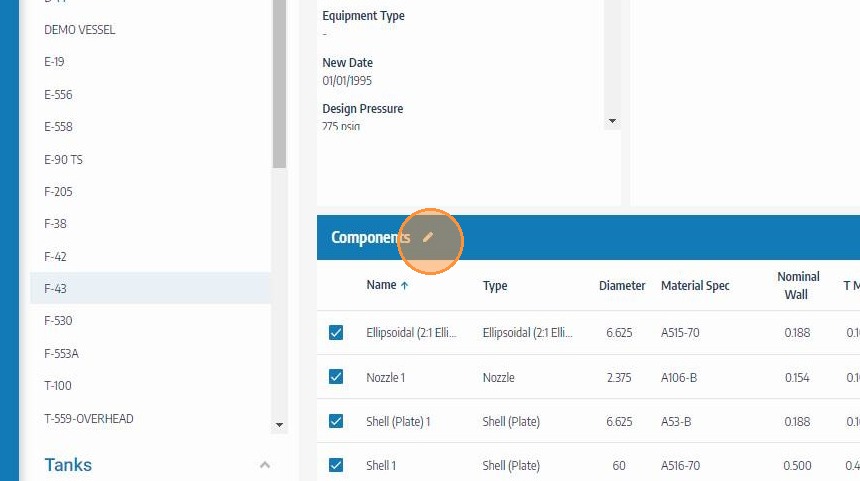
Navigate to the Asset and Open Components Editing Mode
Go to the asset containing the component you want to edit. Click the edit icon on the Components header to enter components editing mode and unlock the table for modifications.
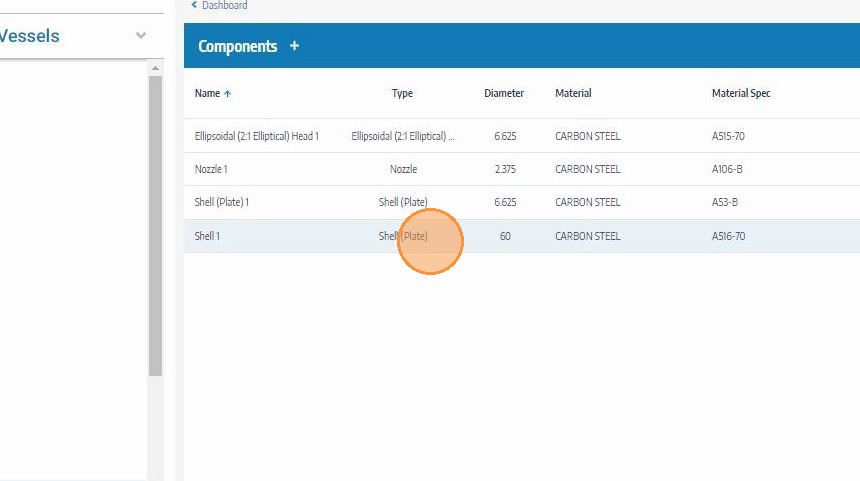
Click on the Component to Edit
Click the component row you want to update. This opens the component's detail fields inline for editing. Use the component name or type to confirm you have selected the correct record before making changes.
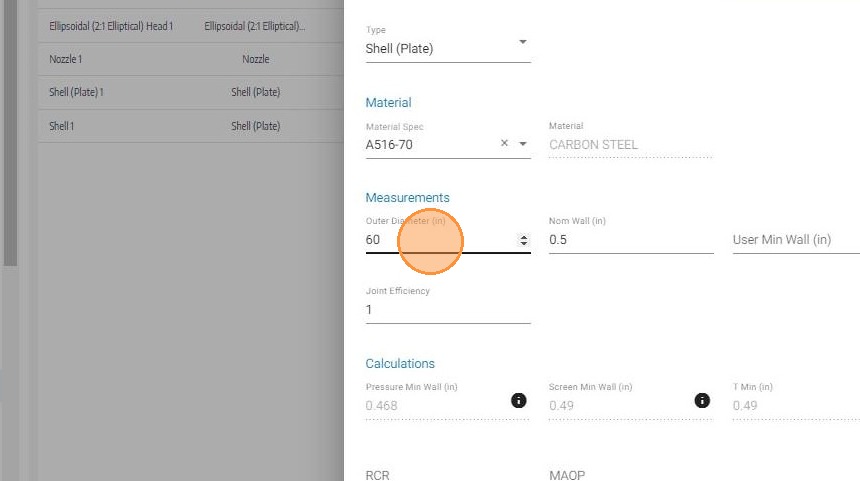
Update the Component Data
Edit the fields that require updating — such as component name, material specification, diameter, nominal thickness, joint efficiency, or User Min Wall. See the Create Components field reference for a description of each field and its role in calculations.
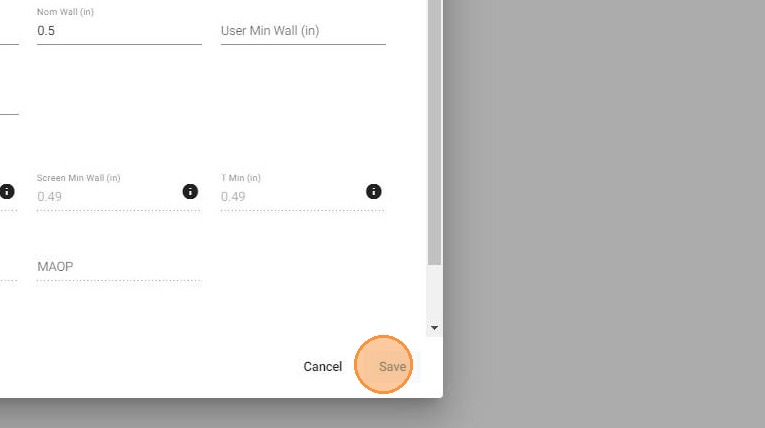
Click Save
Click Save to write the updated component data to the asset record. If any calculation fields were modified, the minimum required wall thickness will be recalculated and updated automatically.
Troubleshooting
| Symptom | Cause | Fix |
|---|---|---|
| Component fields not editable | Components editing mode not activated | Click the edit icon on the Components section header before selecting a component |
| Minimum thickness not updating after save | Non-calculation field edited only | Only changes to diameter, thickness, material spec, or joint efficiency trigger recalculation |
| Changes not visible after save | Page not refreshed | Refresh the asset record to confirm the updated values are displayed |