
View Task Master Methods
Navigate to the TaskMaster Methods configuration menu in SHIELD Admin Settings to manage inspection method definitions used in scheduling and task generation.
Overview
The TaskMaster Methods menu is where inspection method types are configured for use across TaskMaster schedules and generated tasks. This is an admin-level setting typically accessed during initial program setup or when adding new inspection methods to the system.
Access to Admin Settings is role-restricted. If the Admin Settings option is not visible in your navigation, contact your SHIELD administrator to request the appropriate permissions.
Steps
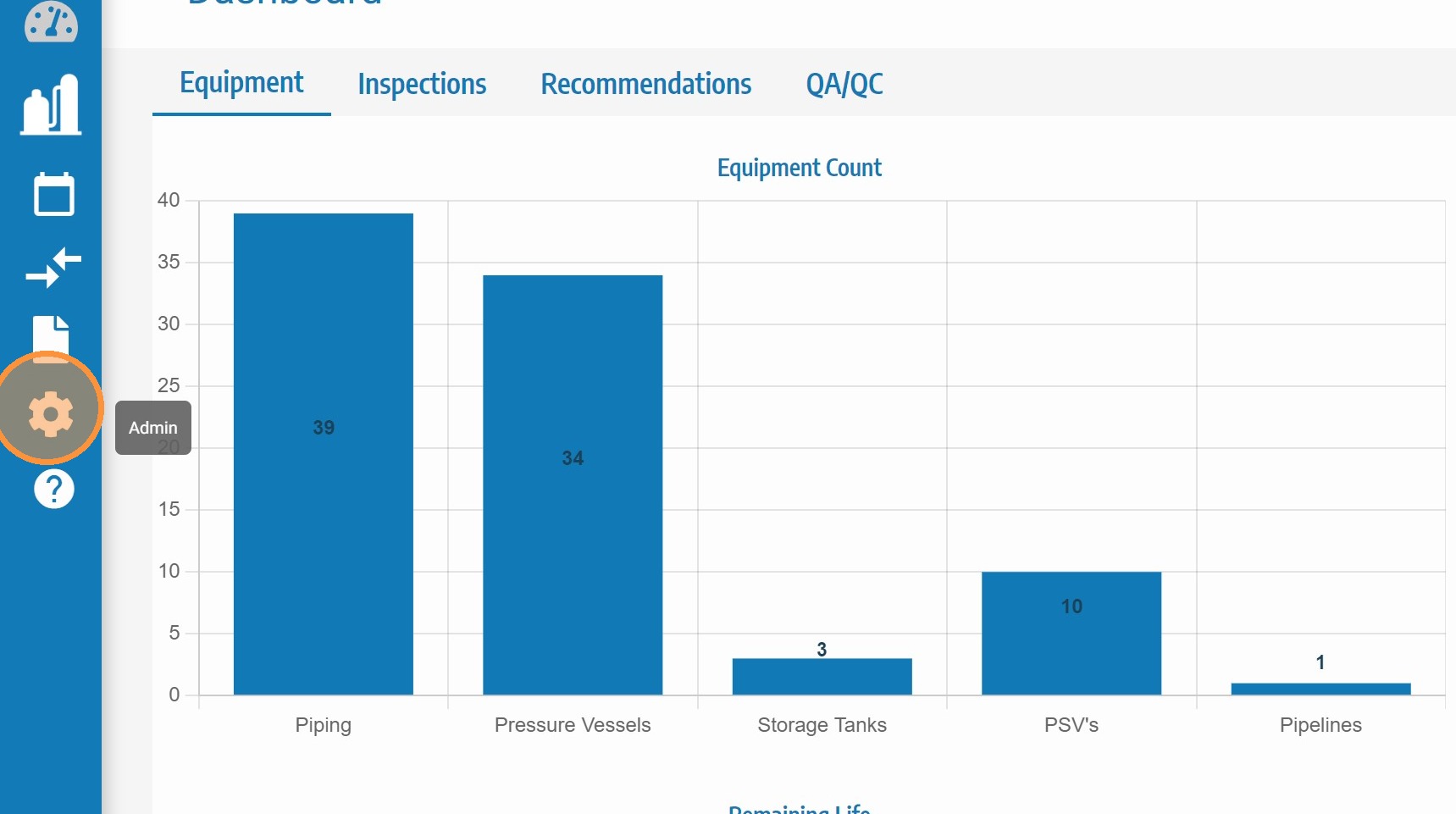
Click Admin Settings
Click Admin Settings in the main SHIELD navigation to open the administration configuration panel.
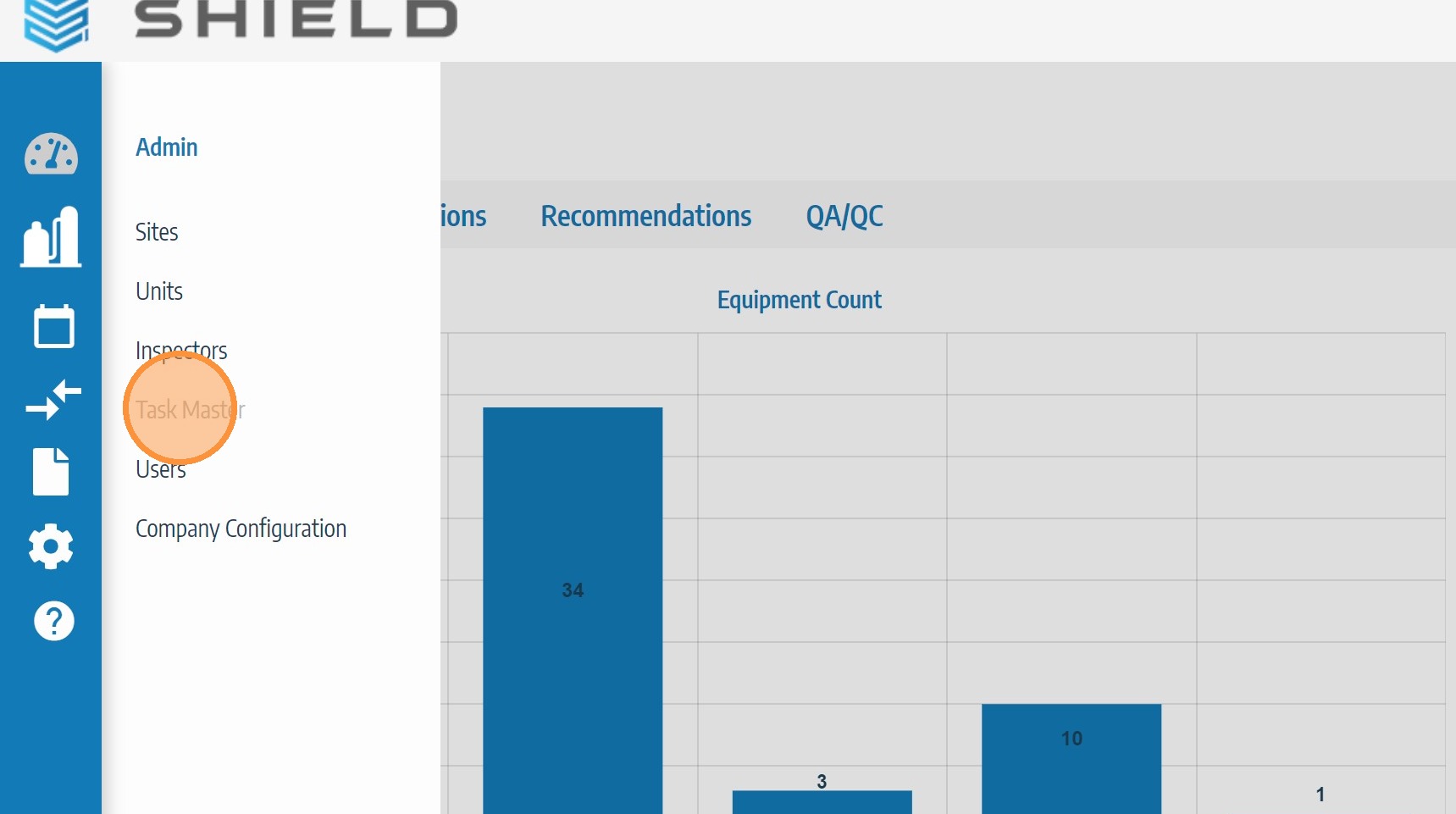
Click TaskMaster
In the Admin Settings menu, click TaskMaster to expand the TaskMaster configuration options.
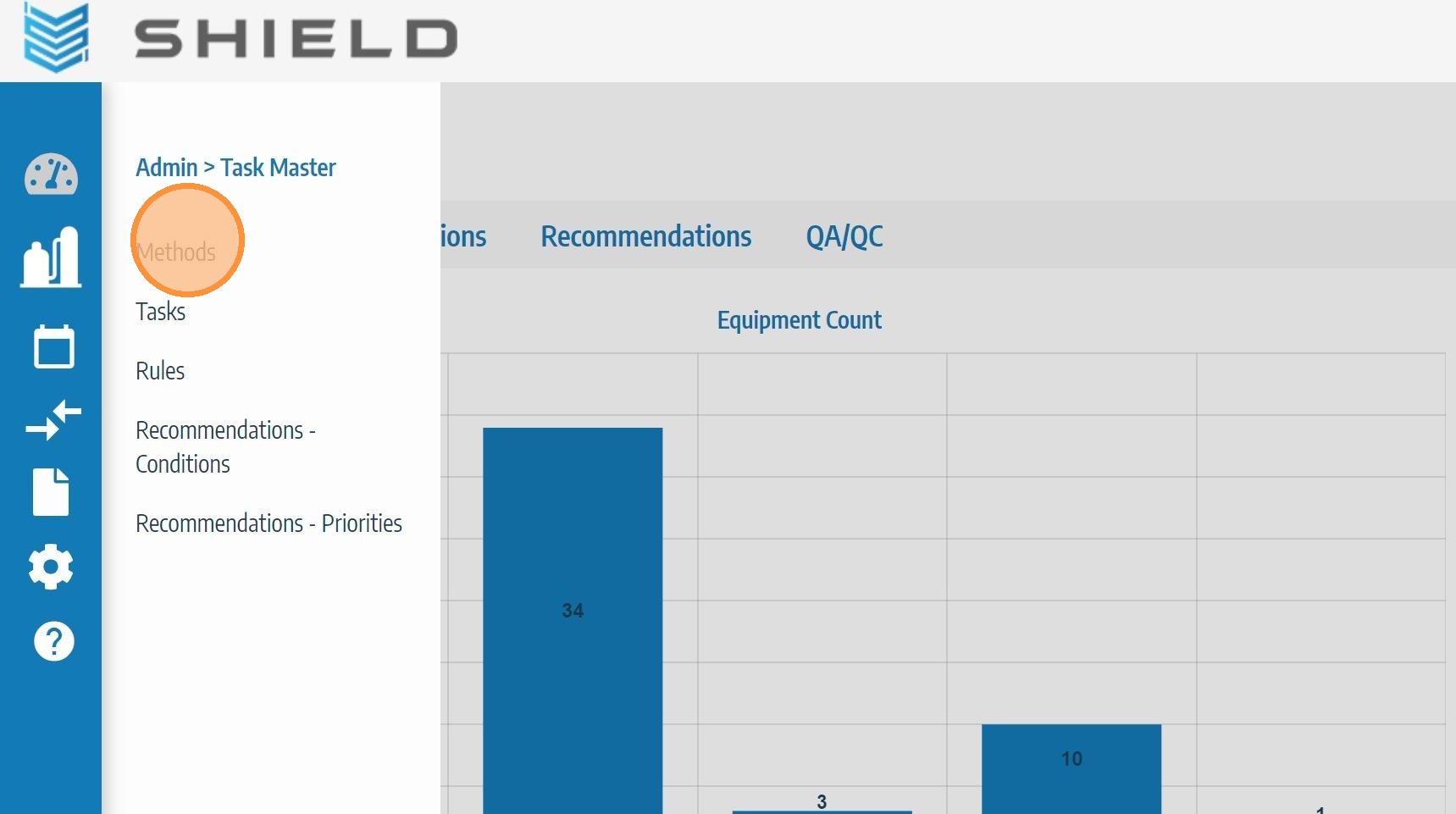
Click Methods
Click Methods to open the TaskMaster Methods management screen where inspection method types can be viewed, added, edited, or removed.
Troubleshooting
| Symptom | Cause | Fix |
|---|---|---|
| Admin Settings not visible in navigation | Insufficient user permissions | Contact your SHIELD administrator to request admin-level access |
| TaskMaster option not appearing in Admin Settings | Feature not enabled for your site configuration | Contact your SHIELD administrator to confirm TaskMaster is enabled |
| Methods menu empty | No methods configured yet | Add inspection methods using the controls on the Methods screen |