
Inactivate/Activate CML History
Exclude a specific CML thickness reading from corrosion rate and remaining life calculations in SHIELD without permanently deleting it.
Overview
Inactivating a CML history reading removes it from SHIELD's corrosion rate and remaining life calculations while preserving the record in the measurement history. This is the preferred approach when a reading is suspected to be erroneous, anomalous, or non-representative — it retains the data for audit traceability without allowing it to skew integrity calculations.
Inactivating a reading is reversible. The record remains in the CML history and can be reactivated at any time by toggling the active switch back on. This makes it a safer alternative to deleting a CML history record when you are uncertain whether the reading should be permanently removed.
Steps
Navigate to the CMLs Section for the Asset
Go to the Assets module and open the asset containing the CML reading you want to inactivate. Click the edit icon on the CMLs header to enter CML editing mode.
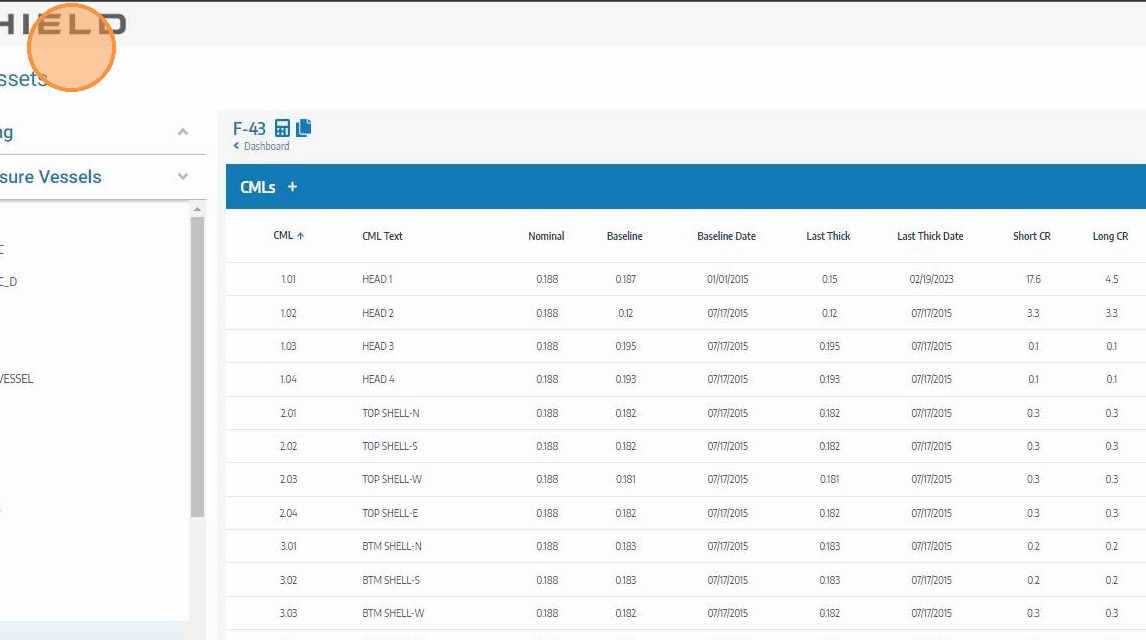
Expand the CML History Readings
Click the CML row to expand it and reveal its measurement history. Locate the specific reading you want to inactivate — confirm the date, thickness value, and inspector to ensure you have the correct entry.
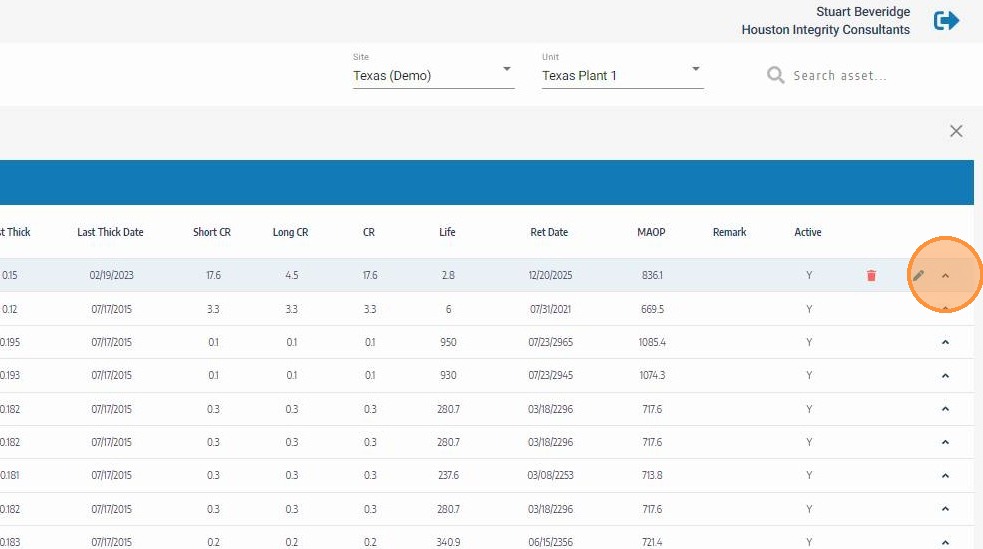
Click the Edit Icon for the Reading to Inactivate
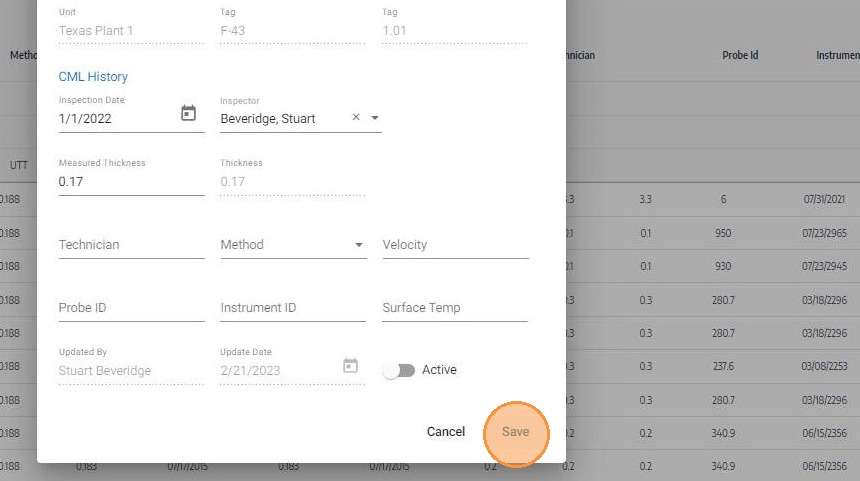
Click the edit icon on the specific history reading row you want to inactivate. This opens the reading's fields for editing including the active status toggle.
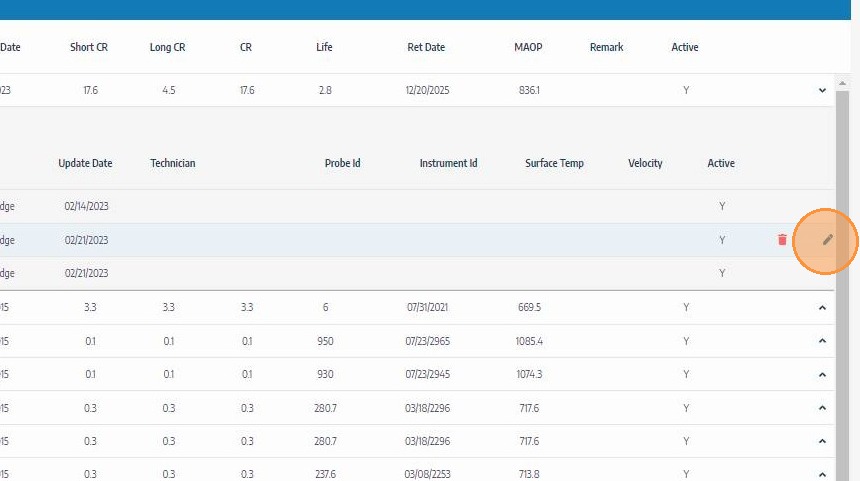
Toggle the Active Switch to Inactivate the Reading
Click the active toggle switch to set the reading to inactive. The toggle will move to the off position, indicating the reading will be excluded from corrosion rate and remaining life calculations on save. The record itself is retained in the history.
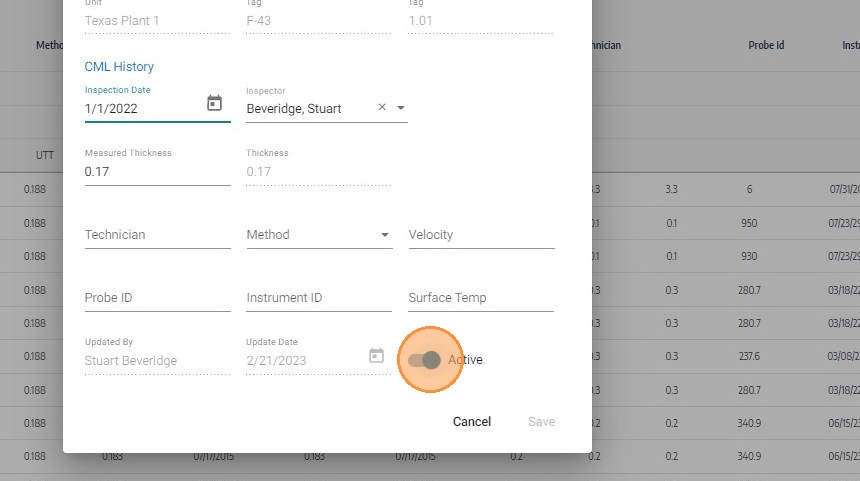
Click Save
Click Save to apply the change. SHIELD will immediately recalculate the corrosion rate and remaining life for the parent component excluding the inactivated reading. Review the updated values to confirm they reflect the expected integrity trend.
Inactivate vs. Delete
| Action | Reading Retained | Reversible | Affects Calculations |
|---|---|---|---|
| Inactivate | ✅ Yes | ✅ Yes | Excluded from rate and remaining life |
| Delete | ❌ No | ❌ No | Permanently removed from all history |
Use inactivate when you want to exclude a reading from calculations but may need to review or restore it later. Use delete only when the record has no audit or historical value and should be permanently removed.
Troubleshooting
| Symptom | Cause | Fix |
|---|---|---|
| Edit icon not visible on history row | CML editing mode not activated | Click the edit icon on the CMLs section header first, then expand the CML row |
| Active toggle not visible | Reading fields not fully open | Ensure the edit icon was clicked on the history row, not the CML row itself |
| Corrosion rate unchanged after inactivation | Inactivated reading was not influencing the rate | Check whether the reading fell outside the active calculation window or was already an outlier |
| Need to reactivate a reading | Toggle was set to inactive in error | Repeat this process and toggle the active switch back to on, then save |